Right-clicking in the marriage field on the tab allows you to select from the context menu whether you want to remove or edit an existing marriage, add a new marriage, or change the spouse. The mouse pointer's position when clicking determines which marriage is removed or edited, or before or after which marriage you insert a new one.
When you add a marriage or change a spouse, the program will first ask you to select a person . Then, a dialog box will open to edit the marriage between the person displayed on the index card and the person you just selected.
The same dialogue is also used to edit an existing marriage.
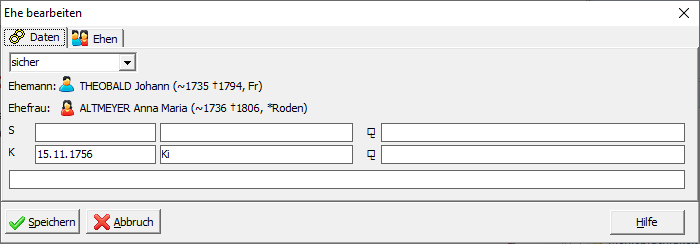
The first tab of the input dialog contains the data about the marriage:
In the selection field you can indicate whether you consider the marriage to be secure, suspected or questionable.
In the input fields, you can enter the date , location , and source for the civil and religious wedding ceremonies. The free text field can be filled with further information about the marriage. This is usually where witnesses are listed.
The input dialog has a second tab:
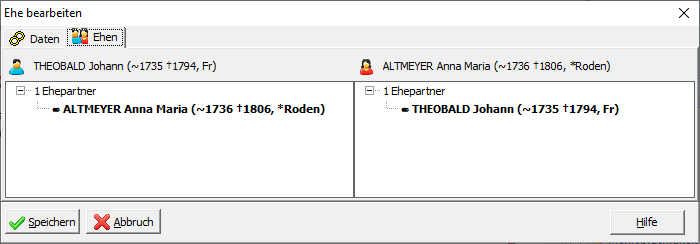
Here you can see all of the husband's and all of the wife's spouses. The other spouse is highlighted in bold in the list. You can also change the order of the marriages for both the husband and wife by dragging and dropping with the left mouse button.