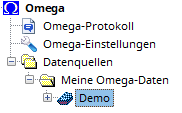
If you have selected a data source or a card file in the AGS Navigator by clicking with the left mouse button, you can jump to the first/next card file whose title begins with that letter by entering a letter on the keyboard.
An identifier identifies a card file. It consists of a maximum of 8 letters ( AZ ), numbers ( 0-9 ), and an underscore ( _ ). The identifier is also the name of the folder within the data source where the card file is stored.
Each card file has a title (examples: Demo , Family History SCHMITT ), which may be no longer than 40 characters. Within the same data source, several different card files can have the same title. However, for clarity, you should always give different card files different titles.
In addition, a textual description of any length can be added to each card file. In the description, you can describe the contents of the card file in detail. For example, in local family history projects, you would specify the sources used and the evaluation periods.
There are card files in Standard size, which can contain a maximum of 16,777,215 people and 16 MB of free text, and in Large size, which can contain up to 2,147,483,647 people and 2 GB of text. You can convert a Standard card file to a Large card file.
If you have selected a data source or a card file in the AGS Navigator by clicking with the left mouse button, you can jump to the first/next card file whose title begins with that letter by entering a letter on the keyboard.
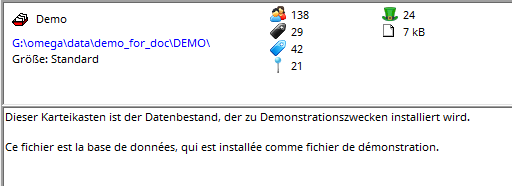
If you select a file in the tree view by clicking with the left mouse button, the details view will show you the file properties and the number of different persons, last names, first names, places and professions, as well as the amount of text recorded.
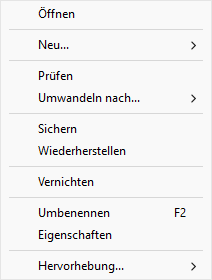
Right-click on the card to open the context menu and perform the following functions:
 |
|