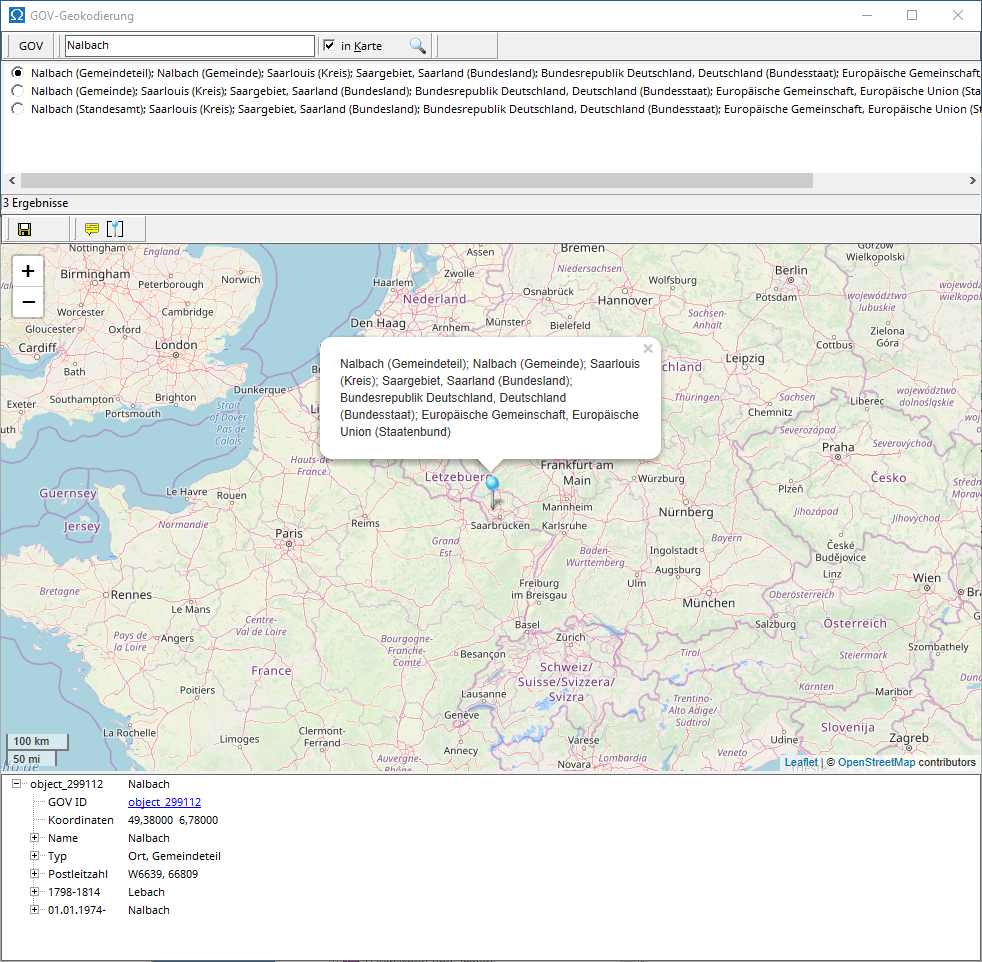
AGS accesses GOV via the GOV web service. For this to work, the computer running AGS must be connected to the internet.
GOV geocoding can be used in the map viewer to assign a GOV ID (identifier of a location in GOV) and in the main menu under Extras | GOV geocoding for searching in GOV.
You can search for a location by entering its name in the search field. If "Show on map" is checked, only locations within the currently displayed map area will be found. If necessary, adjust the displayed area by zooming in or out using the plus or minus symbol.
The GOV viewer at the bottom displays detailed information about the GOV object selected in the results list.
If you use GOV geocoding to determine the GOV ID of a location from the map viewer and assign it to a location in the location database , you can accept the selected GOV object with the green check mark or cancel the selection and assignment with the red cross.