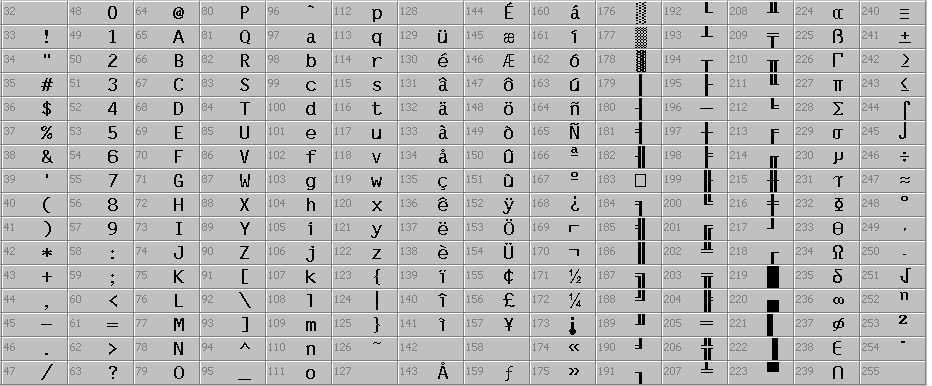
Characters that you cannot find on the keyboard can be generated as follows: find the ASCII code of the desired character in the table above (e.g., 236 for the ∞ symbol), then hold down the left Alt key and type the number sequence 2 3 6 on the numeric keypad on the right side of your keyboard. After releasing the Alt key, the desired character will appear.
In the editor and in text input fields, you can access the character map using the keyboard shortcut Ctrl+Y Strg+Y
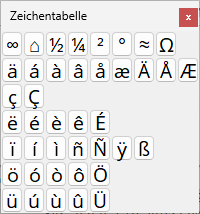
The character map allows you to insert frequently used special characters into a text input field or document by clicking on a character with the left mouse button.