[This page has been machine-translated.]
Keyboard macros
Macro sentences
For faster typing, the 26 letter keys a to z can be assigned to last names, first names, place names, job titles, source texts, and free text. Nine independent macro sets are available for each of these six types of keyboard macros. The assignment of character strings to the letter keys is done in the Omega settings or in the macro editor . Macros can be used in input fields on the tab as well as in the quick search field below directories .
The macro sets are the same for all card files. Omega remembers the last used macro set for each macro type in each card file.
Insert macros into input fields
Pressing the Alt-a to Alt-z key combination in an input field inserts the string you have defined for that macro. The program selects the relevant macro type based on the input field: for example, if you have assigned Alt-b to Barbara for first names and Bergmann for occupations, then pressing Alt-b in the first name field of the index card will produce the entry "Barbara" and in the occupation field, the entry "Bergmann" . You can switch between the nine macro sets for each macro type using the key combination Alt-1 to Alt-9 .
Macro editor
By pressing Alt+0 in an input field, you can open the macro editor to enter new macros, edit existing macros, or remove them directly from the tab.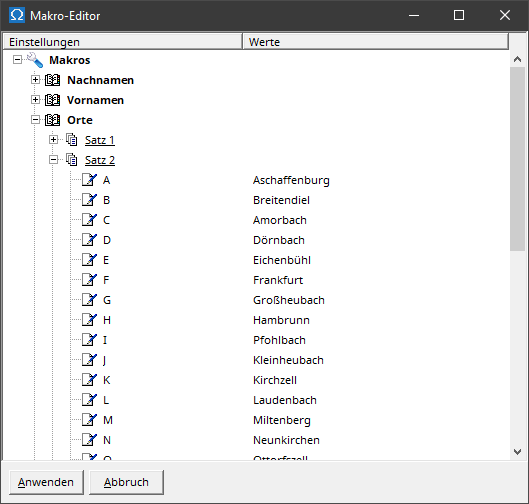
References
Macro capture in the settings