[This page has been machine-translated.]
News Center
The news center is part of the portal . You will receive notifications and updates for AGS via the news center.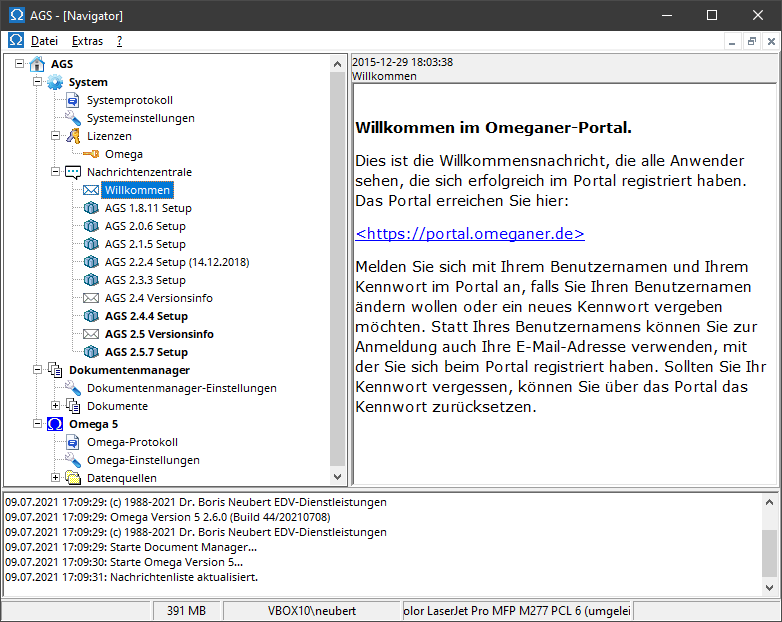
Text messages are represented by an envelope icon, installation files by a package icon. Unread messages are highlighted in bold. Clicking on a text message displays it in detail. Installation files can be downloaded or installed via the context menu . Downloaded files are located in the folder [Personal Settings]\bnuv\Framework\downloads\ .
From the context menu of the Message Center entry, you can check for new messages, show hidden messages, open the clipboard in Windows Explorer, or clear the clipboard to delete all files downloaded to the Message Center's clipboard. AGS also automatically checks for new messages at program startup and periodically thereafter at a user-defined interval .
From a message's context menu , you can mark a message as seen , mark a message as unseen, hide a message you no longer want to see, or download a message to the clipboard or a location of your choice. Hidden messages will no longer be displayed the next time you start the program.
To use the message center, you must have registered once in the portal and entered your login information (username and password) in the system settings .