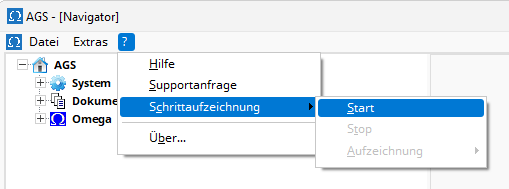
To start step tracking, please select the menu item ? | Step Tracking | Start . Once you have confirmed the start, a screenshot will be taken with each mouse click, and all keystrokes will be logged. Finally, stop step tracking via the menu item ? | Step Tracking | Stop . You can view the most recent step recording, send it as an email attachment, or delete it via the menu item ? | Step Tracking | Recording .
Note: Please be aware that the recipient of the step tracking data can see not only what you did with AGS, but also your overall computer activity while the step tracking was running. If necessary, review the step tracking data before sharing it to ensure you are only sharing the information you want the recipient to see.